Direct3D> 2D Part 2, Faking Light
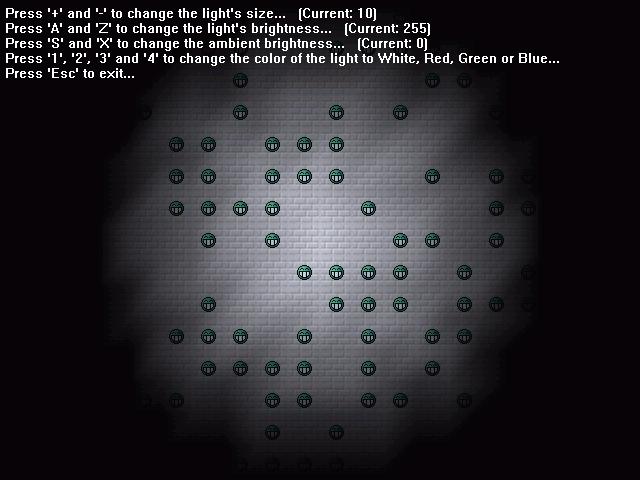
After figuring out how to rotate 2D sprites using Direct3D (check my other submissions), I wanted to do lighting. After reading some tutorials I gave up, they all used 3D, while I wanted to do 2D. There are other ways of faking light; making tiles in multiple shades at either design time or run time, but they're limited...
So here it is: faked light using Direct3D to simulate 2D! It looks great, runs fast (if you've got a 3D card, my P133 with Voodoo 3 could easily run it, although not on software rendering mode), and allows dynamic setting of light brightness and color.
So how does it work? Easy: it sets the color of a vertex (corner) to the brightness of the light at that specific place, after which Direct3D automatically adjusts the texture!
Some limitations though:
- Light might seem choppy when moved (like in the example), but static lights will do much better... the smaller the tiles, the less you'll notice it, but I didn't want to fill the screen with 8x8 sized tiles...
- This won't work with multiple lights or multiple colors of lights, you'll need to adjust some algorithms for that to work. I'm working on this problem, if I finish it, I'll post it here offcourse.
Enjoy, and don't forget to leave comments and vote!
(You're free to use this code in your own programs/games, but I would appreciate it if you gave me some credit, thanks!)
 (20(20 Vote))